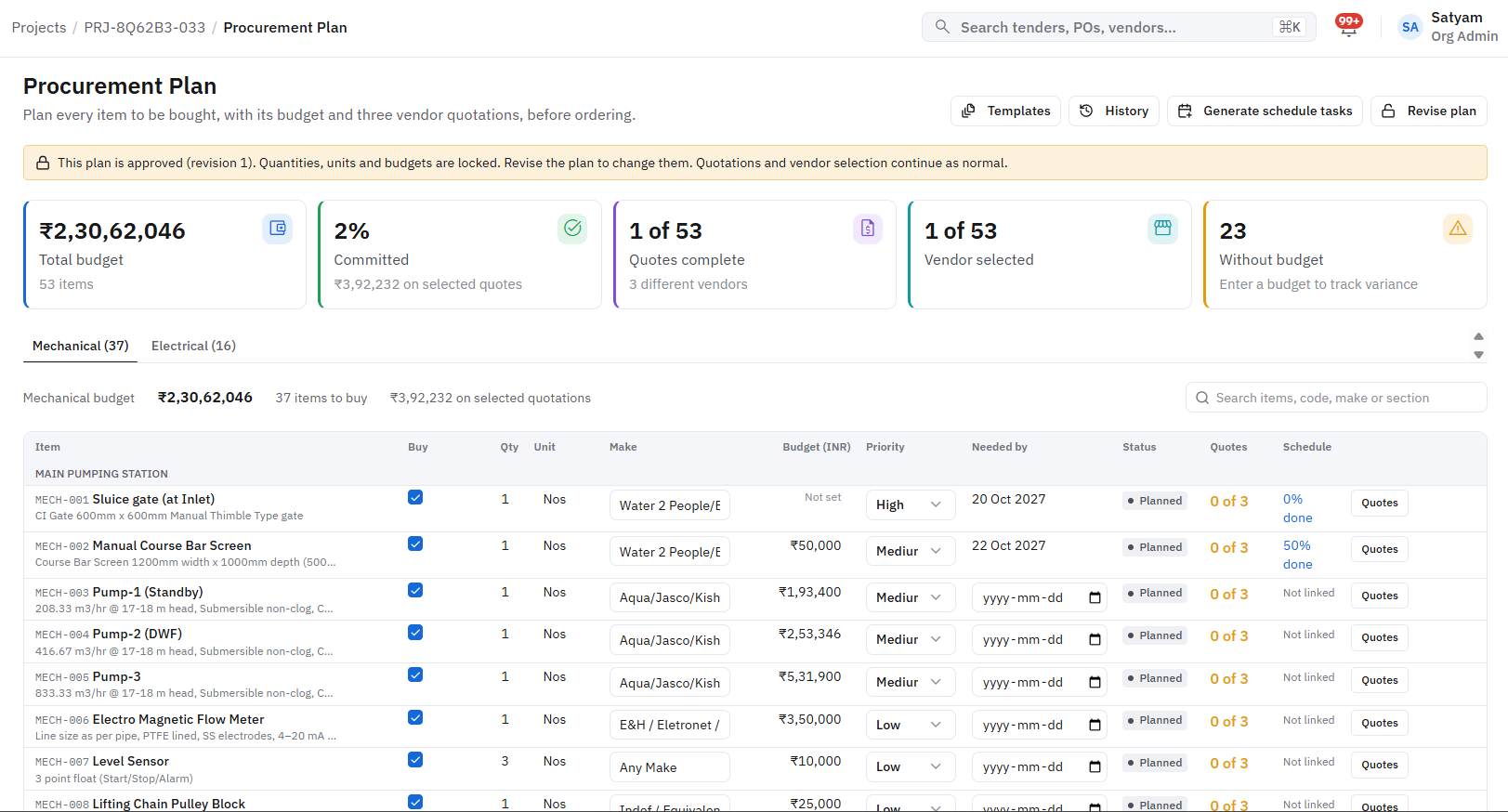
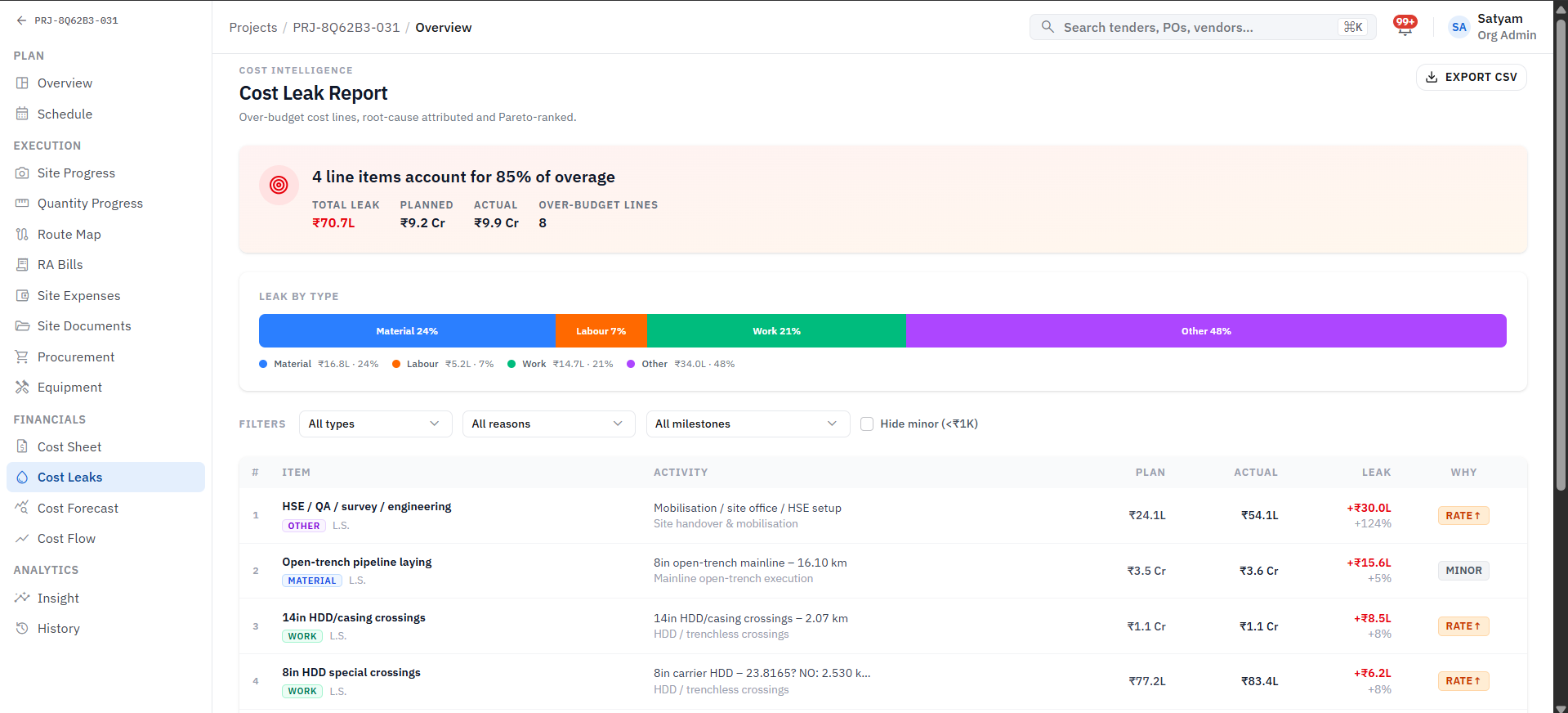
What it keeps track of
Works with
Inventory & Stock, Approvals & Audit, Finance & Cash Flow, AI Document Intelligence
Sits at the buy stage, with 5 steps set to your own rules.
Where AI helps
AI reads vendor quotations and flags rates that sit outside the vendor rate history.
Before
No clear view of purchase prices, vendors or stock levels.
With Arjava
Know the right price before you approve it. Raised from site or office, routed to the right approver.
How the work flows
A purchase & vendors workflow, step by step
What it records
The records this module manages
Each record links to the next, so you can trace any figure back to where it started. Fields are shaped around your terminology.
- 1
Purchase request
Holds
- Item & quantity
- Project
- Budget head
- Requested by
- 2
Quotation
Holds
- Vendor
- Rate & terms
- Validity
- Source document
- 3
Purchase order
Holds
- Vendor
- Value
- Delivery terms
- Approval trail
- 4
Goods receipt
Holds
- PO reference
- Received qty
- Site / store
- Inspection
- Purchase requestsRaised from site or office, routed to the right approver.
- Vendor quotes & comparisonQuotes from different formats compared side by side.
- Vendor rate historyEvery new rate checked against what you have paid before.
- POs & goods receiptPurchase order to delivery, matched against the bill.
Questions it answers
What you can ask it
- 01“Are we paying more than last time for this item?”
- 02“Which requests are waiting on approval, and with whom?”
- 03“Was everything on this PO actually received?”
A result a client has seen
₹3.3 L
Price gap on one purchase order: ₹12.0 L quote vs ₹8.7 L, flagged by vendor rate history (≈27.5% saved).
Client-reported, human-reviewed. Results vary and are not guaranteed.
Want to talk about Purchase & Vendors?
Tell us how this part of the business runs today. We will map it and show you what the module would look like around your workflow.