The connected platform at a glance
One database in the middle. Everything else plugs into it.
01Goes in
Documents and invoices, purchase requests, financial records, inventory movements, operational and site updates, and online store orders.
02Happens inside
Business workflows, procurement and inventory, finance and accounts, projects and reporting, validation and approvals, and integrations all share one database. An AI layer does document extraction, rate comparison, variance detection, cash-flow forecasting and compliance checks.
03Comes out
Organized information, operational reports and MIS, status visibility, management decisions and actionable notifications.
AI reads, compares and flags. Your team reviews and decides.
Proof
Results clients have seen
Document evaluation time
3 to 5 min
was 1 to 2 days
AI-assisted extraction into a structured comparison sheet
Price gap on one purchase order
₹3.3 L
≈27.5% saved
₹12.0 L quote vs ₹8.7 L, flagged by vendor rate history
Validity mismatch flagged
Caught
before submission
EMD validity checked against the latest corrigendum; rejection avoided
Client-reported, human-reviewed examples. Results vary by business and are not guaranteed.
Delivery approach
A discussion or demo, then six clear stages
Discover, plan, build and configure, test and validate, deploy, then support and improve. Every stage is a milestone you can see and track.
- 1
Discover
We learn how the business runs today: the people, processes, requirements, constraints and users. No assumptions.
You get: A map of how work really flows
- 2
Plan
Scope, priorities, workflows and the implementation approach are defined and agreed before anything is built.
You get: Scope and priorities you have signed off
- 3
Build & Configure
The solution is developed or configured around the agreed requirements, module by module, with regular reviews.
You get: Working modules, demoed along the way
- 4
Test & Validate
Important workflows and data are tested before the system becomes part of day-to-day operations.
You get: Workflows checked against your own data
- 5
Deploy
The solution is introduced through an implementation approach that suits your teams, with data migration and training.
You get: Live on your server or cloud, team trained
- 6
Support & Improve
We stay on after launch: monitoring, fixes and new capabilities as your requirements evolve.
You get: A direct line to the people who built it
How we typically run an engagement; the exact plan is agreed with each client.
Operational visibility & reporting
From site activity to management review
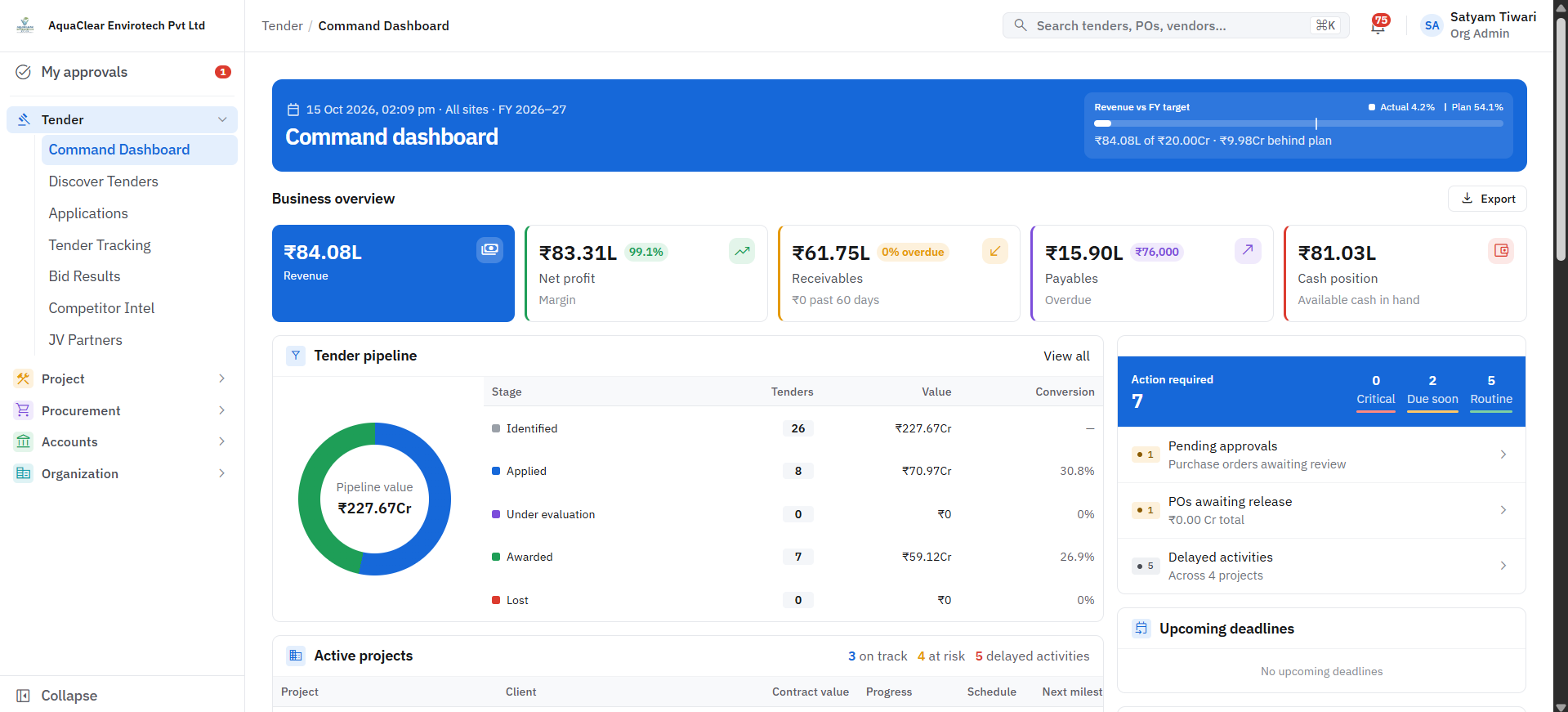
Daily updates are recorded once, organised into structured progress reports, and reviewed by management with approvals in the same place.
- 1Operational activity
- 2Recorded information
- 3Structured progress report
- 4Management review
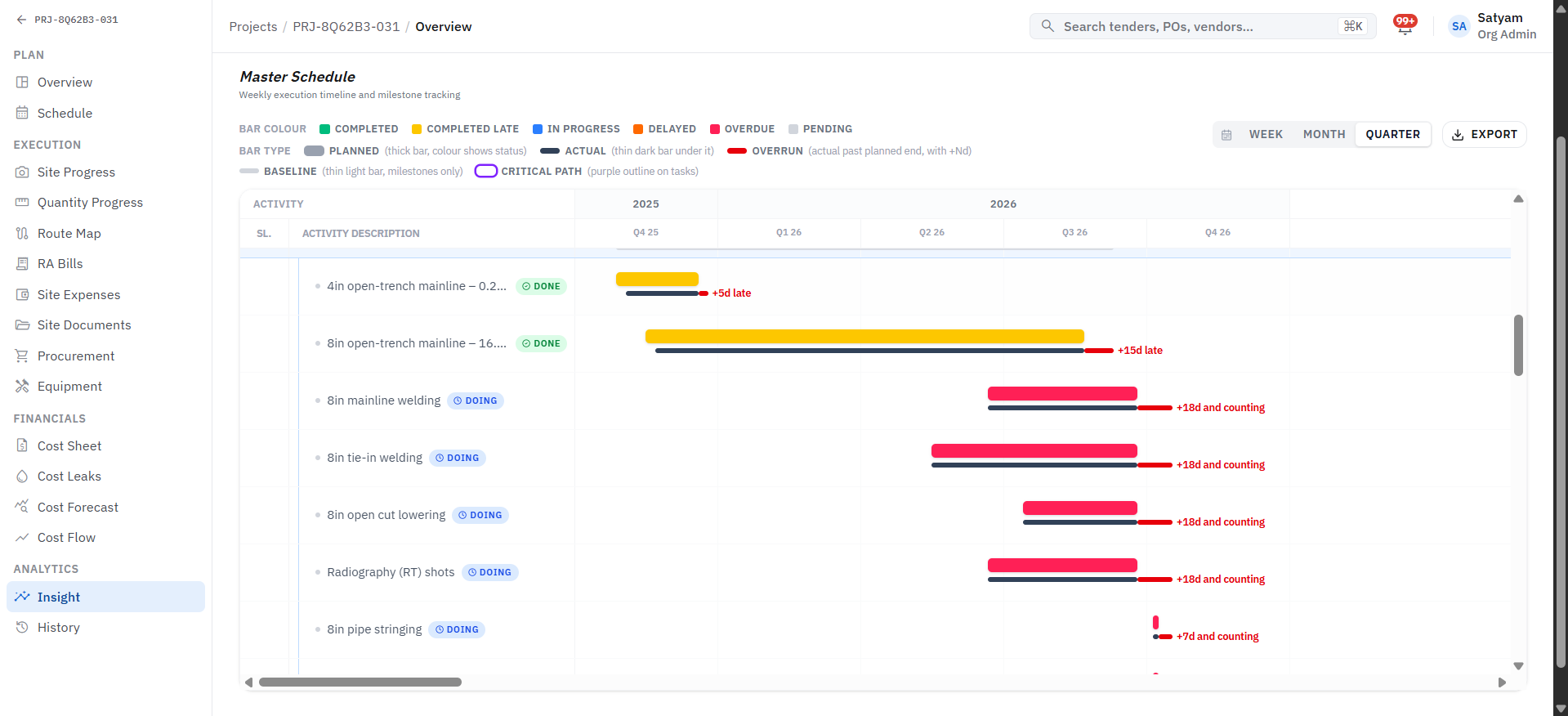
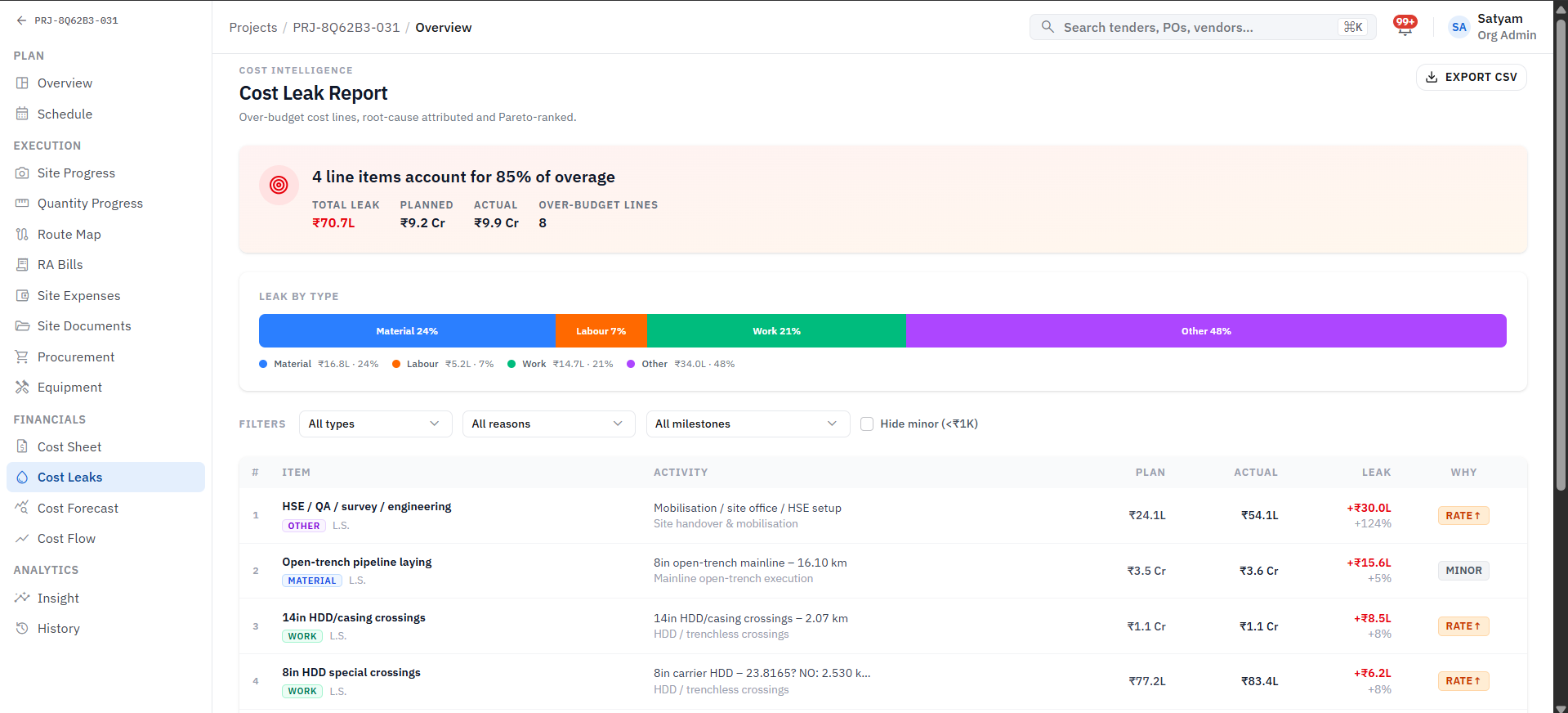
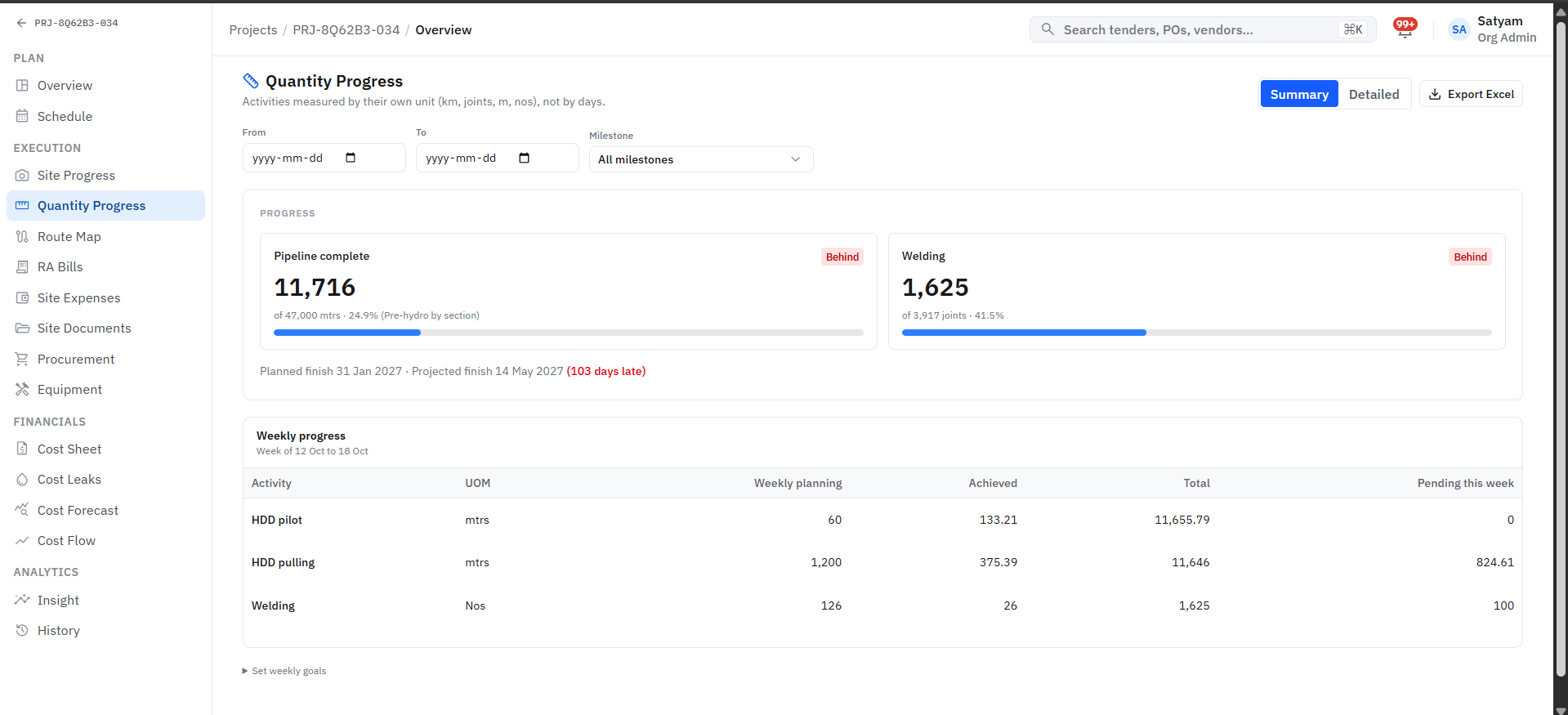
Screens from a live pipeline project; some values are sample data.
Explore Dashboards & MISFrom tender to order
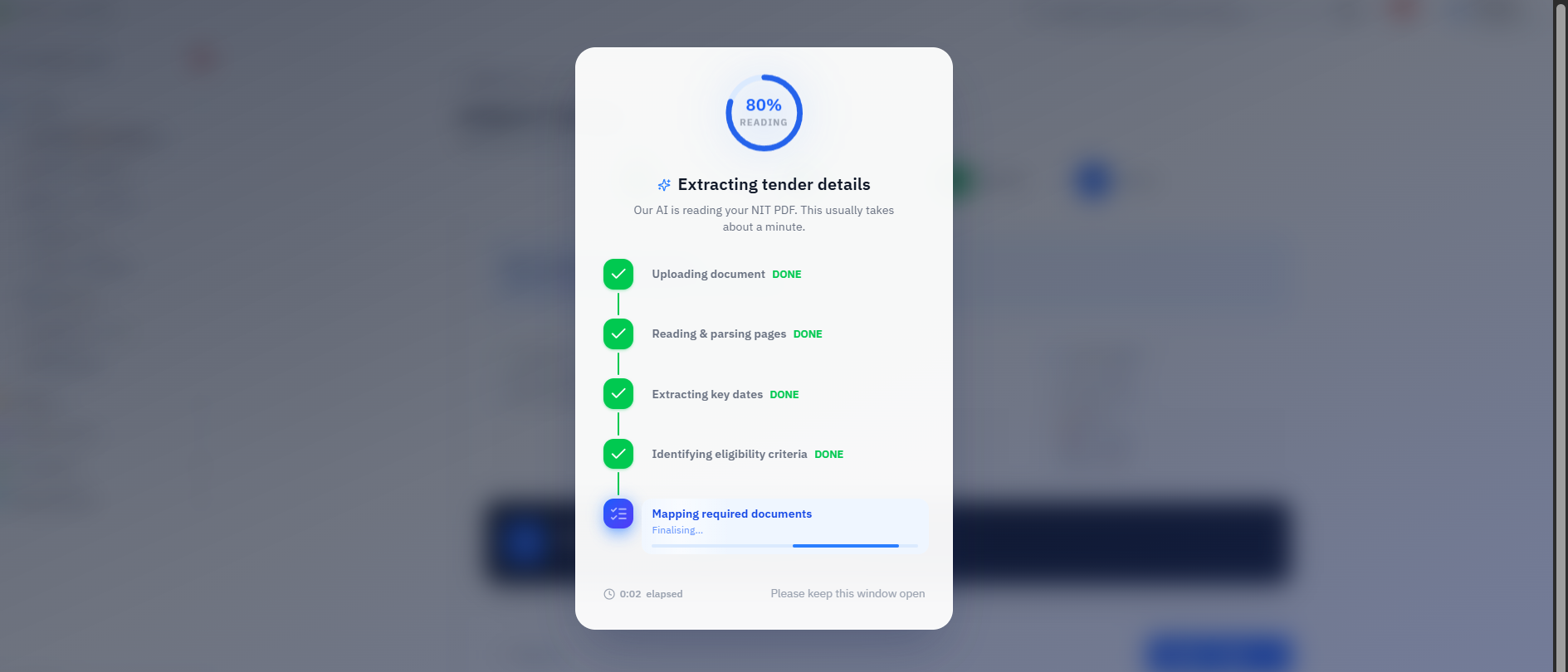
A tender PDF in the morning, a procurement plan by the afternoon
The tender is read and its eligibility mapped; once awarded, the project's procurement plan is built against the same record.
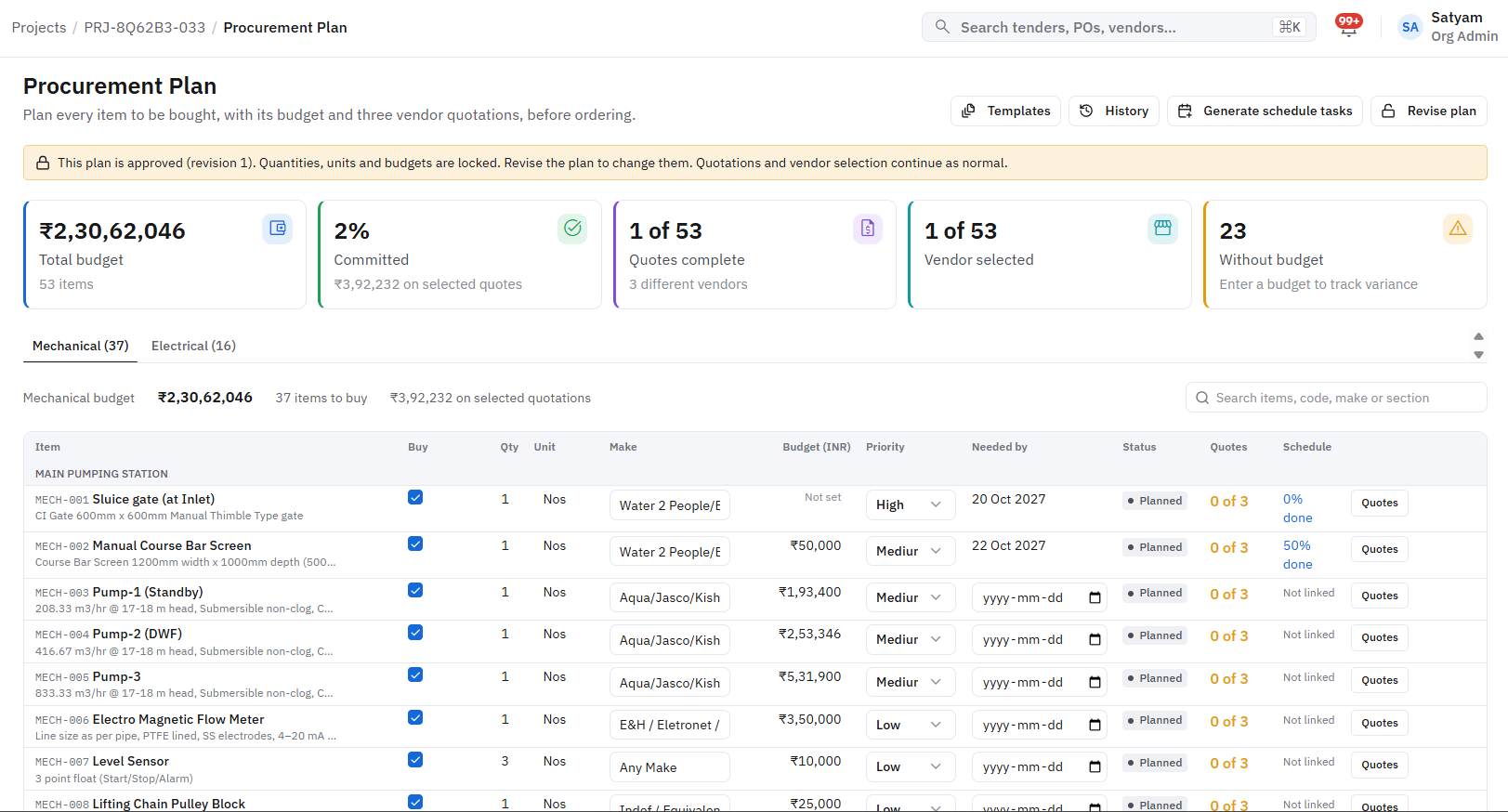
Screens from a working project; some values are sample data.
Book a discussion or demo
Tell us how your business runs today. We will map it, and show you what one connected system could look like.