Skip to content
Arjava

Home / Modules / Dashboards & MIS

Module 8 of 9

Dashboards & MIS

One live picture for management.

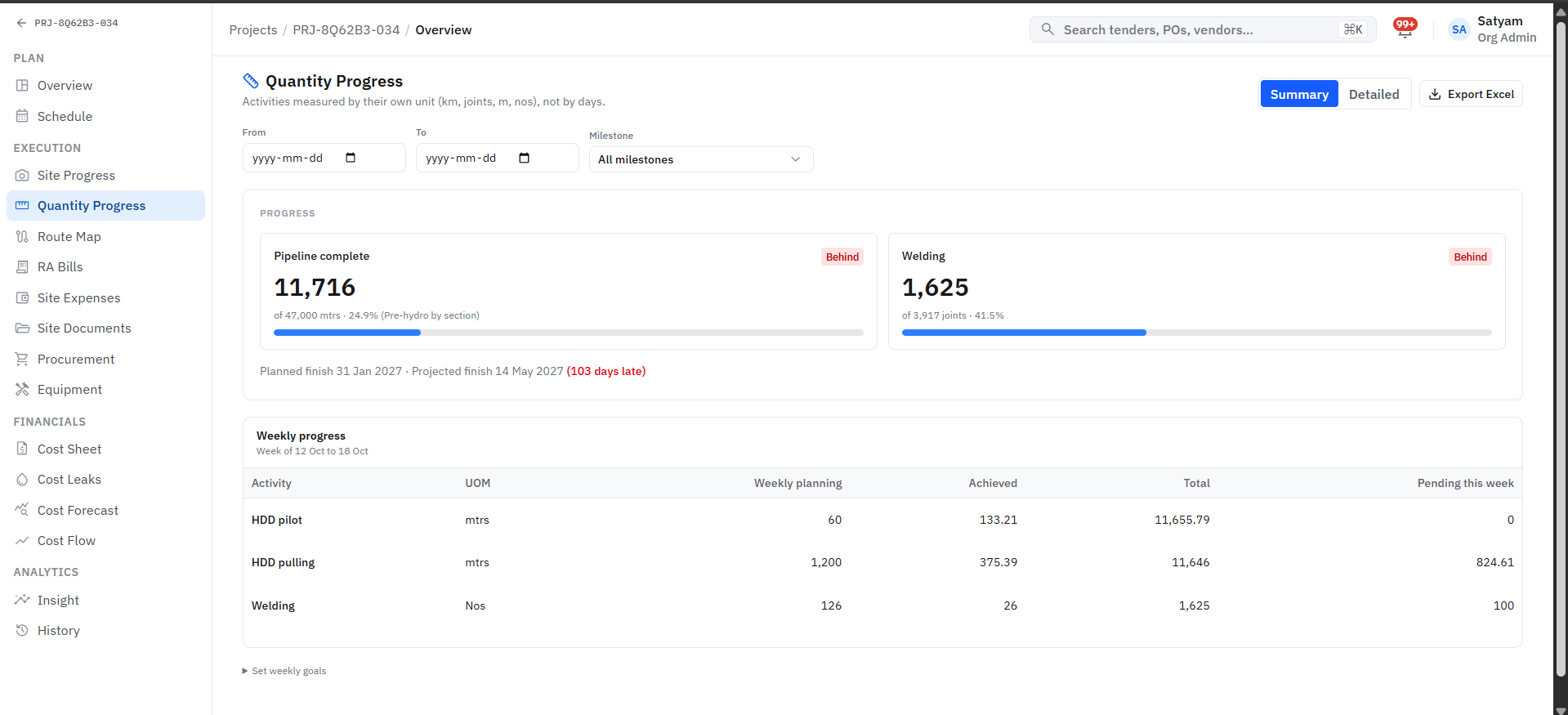
Quantity progress measured in metres and joints with weekly planning versus achieved
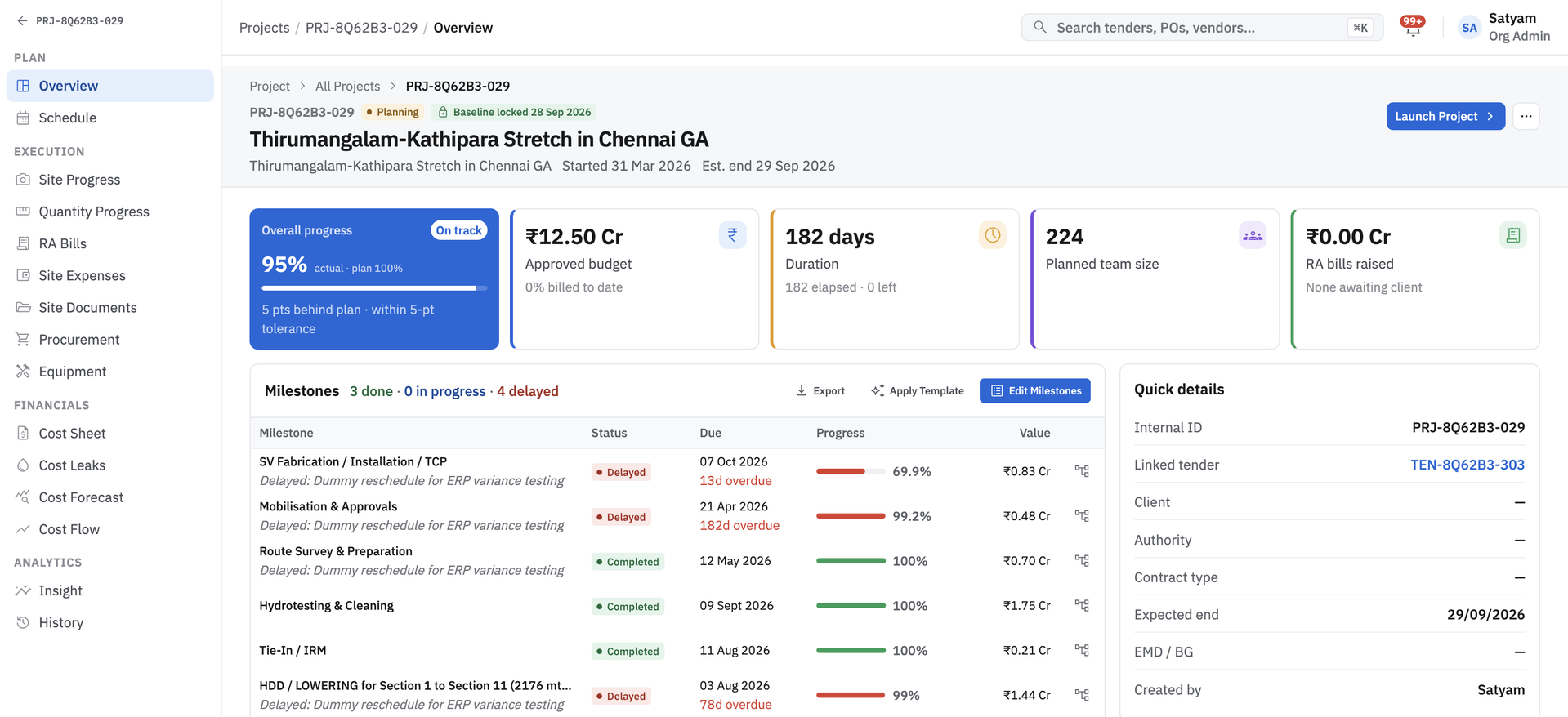
Project overview with progress against plan, approved budget and milestone tracker

What it keeps track of

Dashboard viewAlertReport

Works with

Projects & Tasks, Finance & Cash Flow, Inventory & Stock, Approvals & Audit

Sits at the plan stage, with 5 steps set to your own rules.

Where AI helps

Forecasts and anomaly flags appear alongside the numbers they relate to.

Before

Management reports are assembled by hand, after the fact.

Dashboards & MIS

With Arjava

One live picture for management. Purchase, stock, projects and finance on one screen.

How the work flows

A dashboards & mis workflow, step by step

Step 1 of 5

Data recorded once

Led by Every module

Purchase, stock, projects and finance write to one database.

Sources

Live

  • PurchaseConnected
  • InventoryConnected
  • ProjectsConnected
  • FinanceConnected

Sample record for illustration.

What it records

The records this module manages

Each record links to the next, so you can trace any figure back to where it started. Fields are shaped around your terminology.

  1. 1

    Dashboard view

    Holds

    • Role
    • Metrics
    • Filters
  2. 2

    Alert

    Holds

    • Rule
    • Owner
    • Status
  3. 3

    Report

    Holds

    • Period
    • Sections
    • Recipients
  • Live dashboardsPurchase, stock, projects and finance on one screen.
  • Real-time alertsExceptions pushed to the right person as they happen.
  • MIS & board reportsReports generated from live data, not assembled by hand.
  • Multi-site visibilityCompare sites, projects and stores side by side.

Questions it answers

What you can ask it

  1. 01“Where do we stand across all sites today?”
  2. 02“What needs my attention this week?”
  3. 03“Can I have this month’s MIS without waiting for it?”

Want to talk about Dashboards & MIS?

Tell us how this part of the business runs today. We will map it and show you what the module would look like around your workflow.

What the system checks for you

  • Minutes

    not days

    Tender document reading

    Dates, fees, eligibility and required documents pulled into structured fields

  • Every PO

    checked on rate

    Vendor rate history

    Quotes compared against past rates before an order is approved

  • Before

    submission

    Validity and compliance checks

    EMD and document validity checked against the latest corrigendum

Checks run inside the system; your team reviews every flag before acting.

Next step: a discussion, then six clear stages

  1. 01

    Discover

    Map your workflows

  2. 02

    Define

    Agree scope & goals

  3. 03

    Design

    Plan screens & data

  4. 04

    Develop

    Build & configure

  5. 05

    Deploy

    Go live with training

  6. 06

    Support

    Improve continuously

Human-in-the-loop AI. AI reads documents, compares data and flags risks; your team reviews and decides.