Skip to content
Arjava

Home / Modules / Projects & Tasks

Module 4 of 9

Projects & Tasks

Planned vs actual, before it becomes an overrun.

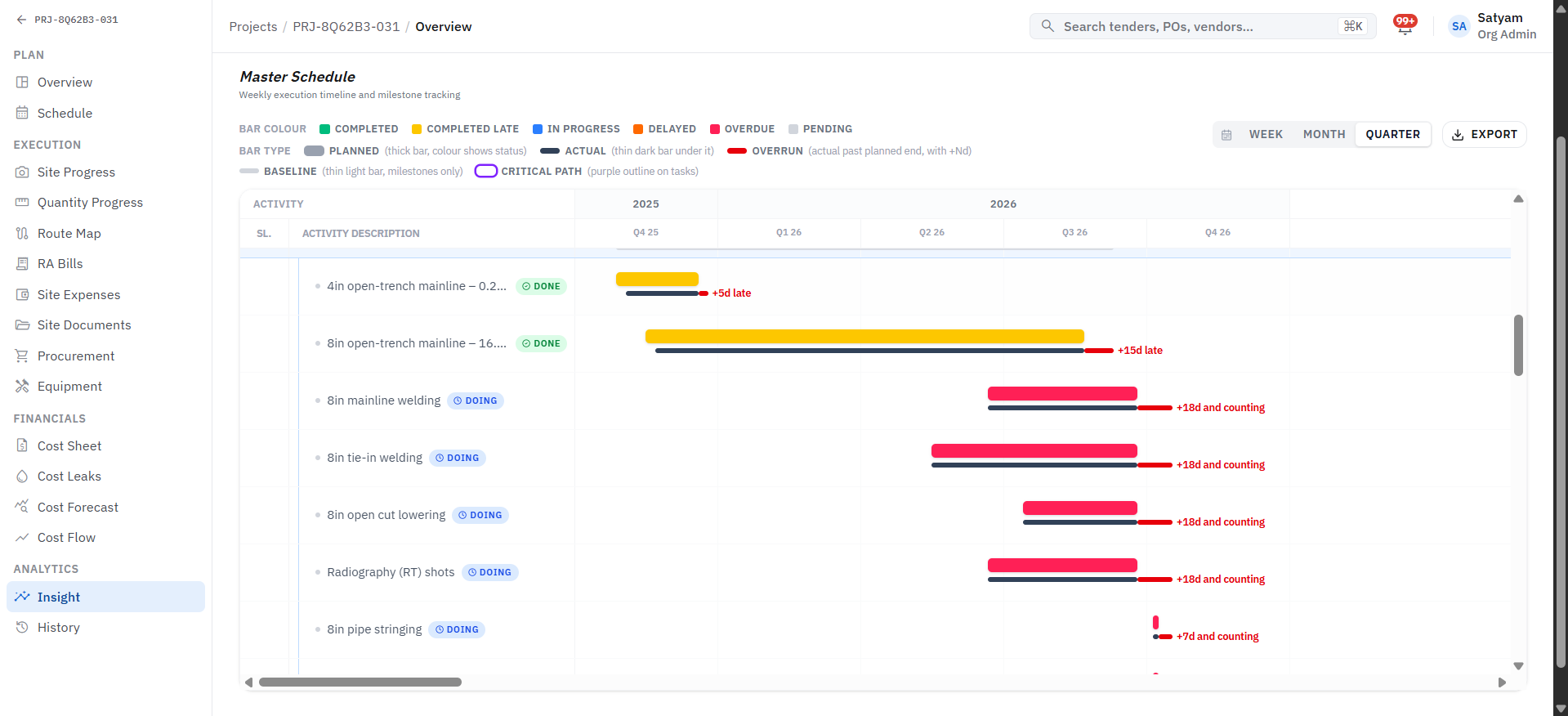
Master schedule Gantt with planned, actual and overrun bars
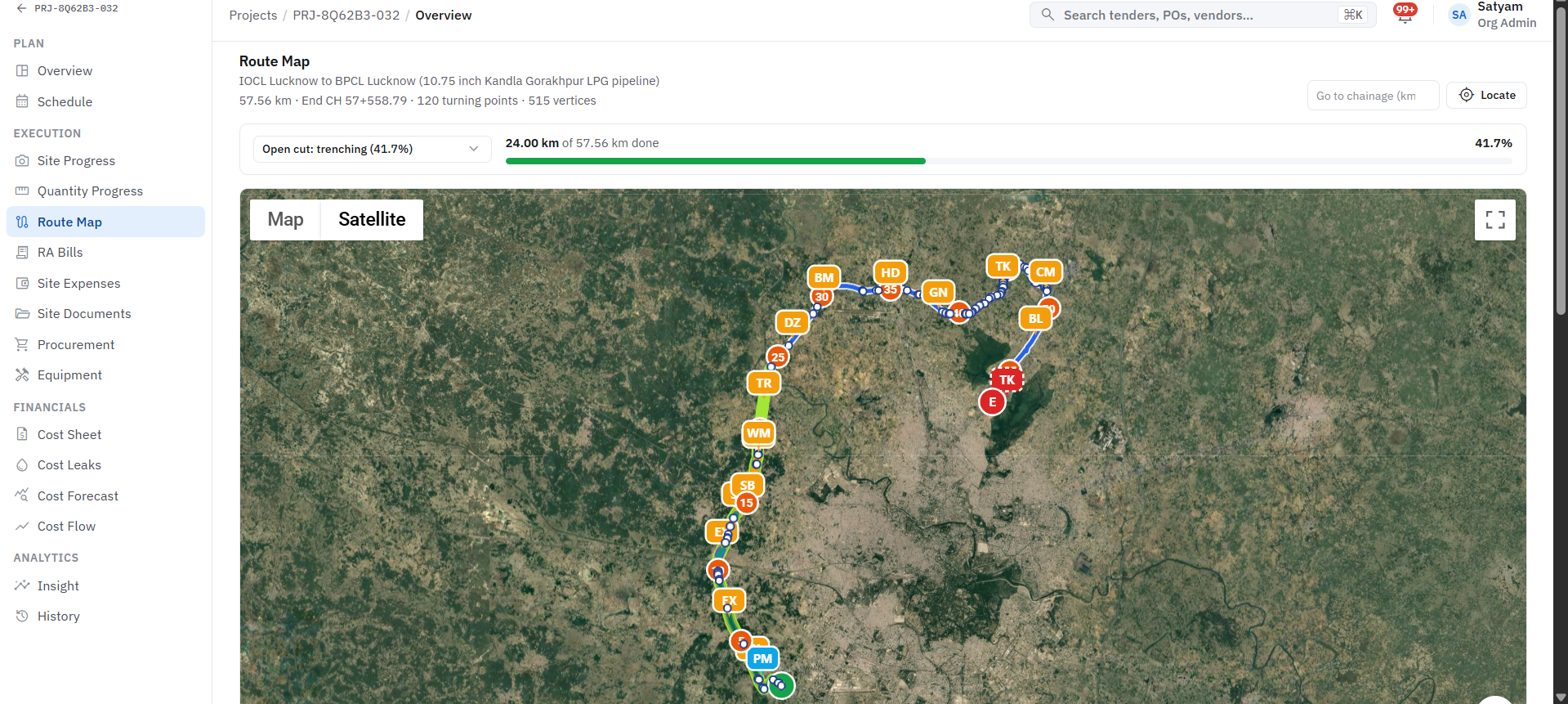
Pipeline route map with chainage progress on satellite view

What it keeps track of

ProjectActivity / taskDaily report

Works with

Inventory & Stock, Purchase & Vendors, Dashboards & MIS, Approvals & Audit

Sits at the deliver stage, with 5 steps set to your own rules.

Where AI helps

Variance detection compares progress against plan and flags drift early.

Before

Delays and cost overruns are discovered too late.

Projects & Tasks

With Arjava

Planned vs actual, before it becomes an overrun. Schedule and cost progress against plan, per project.

How the work flows

A projects & tasks workflow, step by step

Step 1 of 5

Plan set

Led by Project manager

Activities, owners, quantities and dates agreed.

Project plan

Campus Block

  • Activities42
  • Milestones6
  • Owner per taskAssigned

Sample record for illustration.

What it records

The records this module manages

Each record links to the next, so you can trace any figure back to where it started. Fields are shaped around your terminology.

  1. 1

    Project

    Holds

    • Client & site
    • Budget
    • Milestones
  2. 2

    Activity / task

    Holds

    • Owner
    • Planned qty & dates
    • Actual
  3. 3

    Daily report

    Holds

    • Work done
    • Manpower
    • Issues
    • Photos
  • Planned vs actualSchedule and cost progress against plan, per project.
  • Task ownershipEvery task has an owner and a due date.
  • Variance alertsAlerts when time or cost drifts beyond tolerance.
  • Site updatesProgress captured from site on mobile.

Questions it answers

What you can ask it

  1. 01“Which activities are behind plan this week?”
  2. 02“Who owns the delay, and what is blocking it?”
  3. 03“What did site actually report yesterday?”

Want to talk about Projects & Tasks?

Tell us how this part of the business runs today. We will map it and show you what the module would look like around your workflow.

What the system checks for you

  • Minutes

    not days

    Tender document reading

    Dates, fees, eligibility and required documents pulled into structured fields

  • Every PO

    checked on rate

    Vendor rate history

    Quotes compared against past rates before an order is approved

  • Before

    submission

    Validity and compliance checks

    EMD and document validity checked against the latest corrigendum

Checks run inside the system; your team reviews every flag before acting.

Next step: a discussion, then six clear stages

  1. 01

    Discover

    Map your workflows

  2. 02

    Define

    Agree scope & goals

  3. 03

    Design

    Plan screens & data

  4. 04

    Develop

    Build & configure

  5. 05

    Deploy

    Go live with training

  6. 06

    Support

    Improve continuously

Human-in-the-loop AI. AI reads documents, compares data and flags risks; your team reviews and decides.