Skip to content
Arjava

Home / Modules / Inventory & Stock

Module 2 of 9

Inventory & Stock

Live stock, across every site and store.

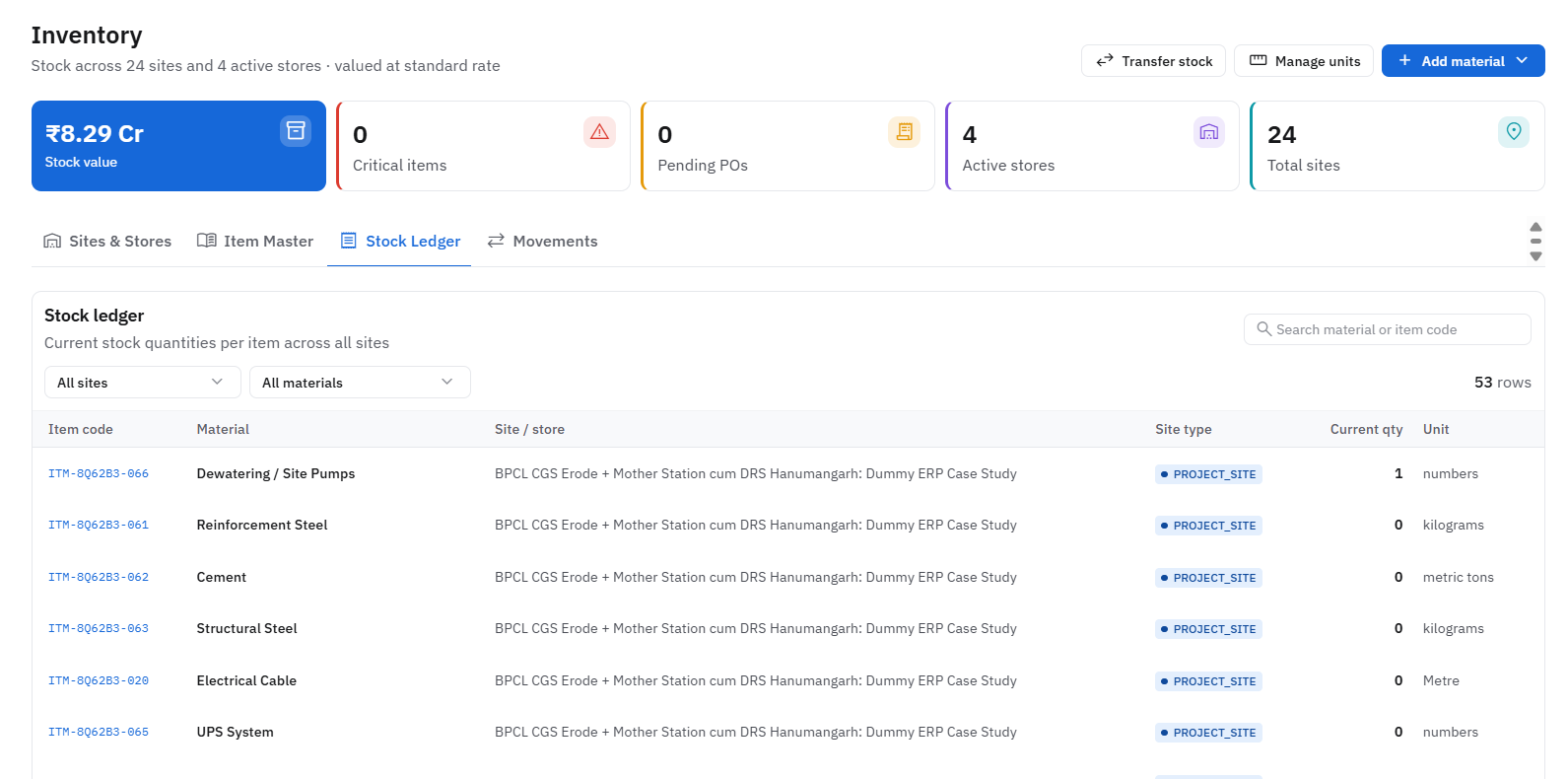
Inventory stock ledger across sites and stores
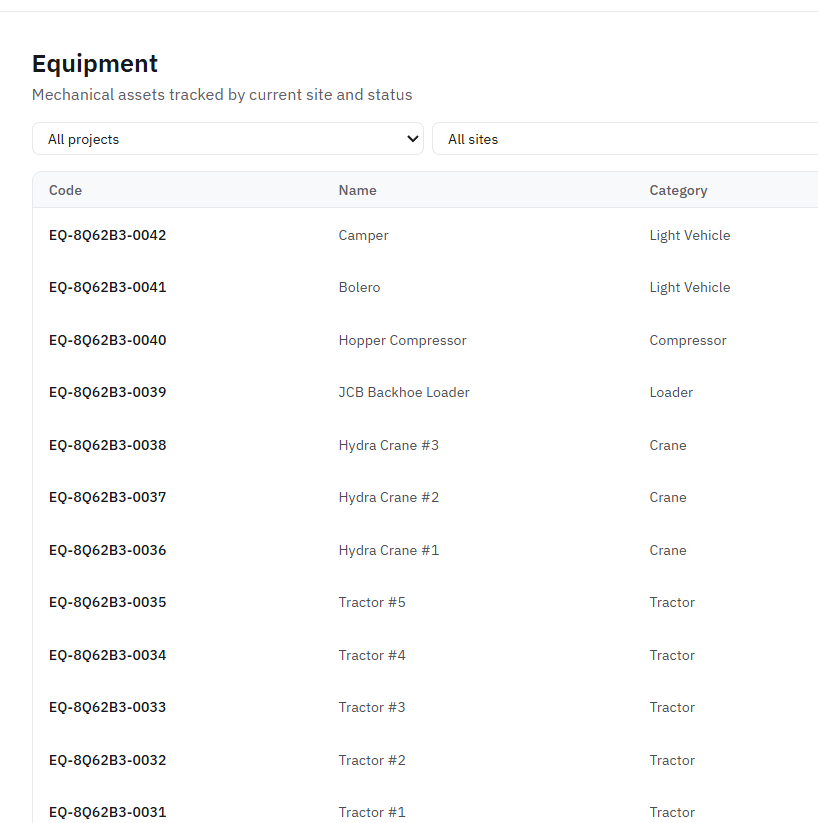
Equipment register listing cranes, loaders and tractors by site

What it keeps track of

ItemStore / siteStock movement

Works with

Purchase & Vendors, Store-to-ERP Sync, Projects & Tasks, Dashboards & MIS

Sits at the stock stage, with 5 steps set to your own rules.

Where AI helps

Sales and stock insights highlight slow-moving items and unusual consumption.

Before

Stock is counted in registers and spreadsheets, so nobody is sure what is on hand before re-ordering.

Inventory & Stock

With Arjava

Live stock, across every site and store. Receipts, issues and transfers update stock immediately.

How the work flows

A inventory & stock workflow, step by step

Step 1 of 5

Goods received

Led by Stores

Receipt recorded against the PO; stock increases at that store.

Goods receipt

GRN-552

  • POPO-1187
  • ItemTMT bars, 12 mm
  • Received18 t
  • StoreMain store

Sample record for illustration.

What it records

The records this module manages

Each record links to the next, so you can trace any figure back to where it started. Fields are shaped around your terminology.

  1. 1

    Item

    Holds

    • Code & unit
    • Re-order level
    • Category
  2. 2

    Store / site

    Holds

    • Location
    • In-charge
    • Stock on hand
  3. 3

    Stock movement

    Holds

    • Receipt / issue / transfer
    • Quantity
    • Reference
  • Live stock levelsReceipts, issues and transfers update stock immediately.
  • Multi-site visibilitySee stock at every site, store and warehouse in one view.
  • Re-order checksLive stock shown before any new purchase is raised.
  • Store & online syncOnline orders reserve and deduct the same stock.

Questions it answers

What you can ask it

  1. 01“How much of this item do we have, and where?”
  2. 02“What was consumed on this activity against the estimate?”
  3. 03“Should we transfer between sites before buying?”

Want to talk about Inventory & Stock?

Tell us how this part of the business runs today. We will map it and show you what the module would look like around your workflow.

What the system checks for you

  • Minutes

    not days

    Tender document reading

    Dates, fees, eligibility and required documents pulled into structured fields

  • Every PO

    checked on rate

    Vendor rate history

    Quotes compared against past rates before an order is approved

  • Before

    submission

    Validity and compliance checks

    EMD and document validity checked against the latest corrigendum

Checks run inside the system; your team reviews every flag before acting.

Next step: a discussion, then six clear stages

  1. 01

    Discover

    Map your workflows

  2. 02

    Define

    Agree scope & goals

  3. 03

    Design

    Plan screens & data

  4. 04

    Develop

    Build & configure

  5. 05

    Deploy

    Go live with training

  6. 06

    Support

    Improve continuously

Human-in-the-loop AI. AI reads documents, compares data and flags risks; your team reviews and decides.